
- Master Packager
- Master Packager
- Advanced Editor
- Overview
Master Packager Suite
- Master Packager
- Overview
- Advanced Editor
- Overview
- General information
- Uninstall or change program
- Summary Information
- Files
- Registries
- Features
- INI files
- Shortcuts
- Application Search
- Environment Variables
- Upgrade
- Merge Modules
- Custom Actions
- Predefined Custom Actions
- Apply HKCU registries to all users
- Remove HKCU registries from all users
- Copy to User Profile
- Delete from User Profile
- Run PowerShell Script
- Replace string in text file
- Add firewall exception
- Append or prepend text line in file
- Register DLL
- Install MSIX Package
- Uninstall MSIX Package
- Install and Uninstall Drivers
- Predefined Custom Actions
- Install Execute Sequence
- ODBC Data Source
- ODBC Driver
- Services
- Service Control
- File Extensions
- Property
- Templates
- Table Editor
- Overview
- Table Filter
- Find and Replace
- Hide Empty Tables
- Edit Table Schema
- Export, Import or Drop Table
- Online MSDN Help
- VBS / JScript Editor
- Hex and Dec Value Editor
- Add Predefined and Custom Tables
- Track Changes in MSI and MST
- Load / Save Binaries
- Build / Extract CAB from Media Table
- Table Relationship Tracing
- Advanced Value Lookup
- ICE Validation
- Sort Modified Cells to the Top of the Table
- Create, Apply and Remove Transform Files
- Cascade Deletion
- MSI Validation, Warning/Error Sorting on Top
- Clean Database Function
- Digital Signature
- Master Repackager
- Master Wrapper
- Master Packager Toolbox
- Command Line Support
- Master Packager Silent Installation
Advanced Editor
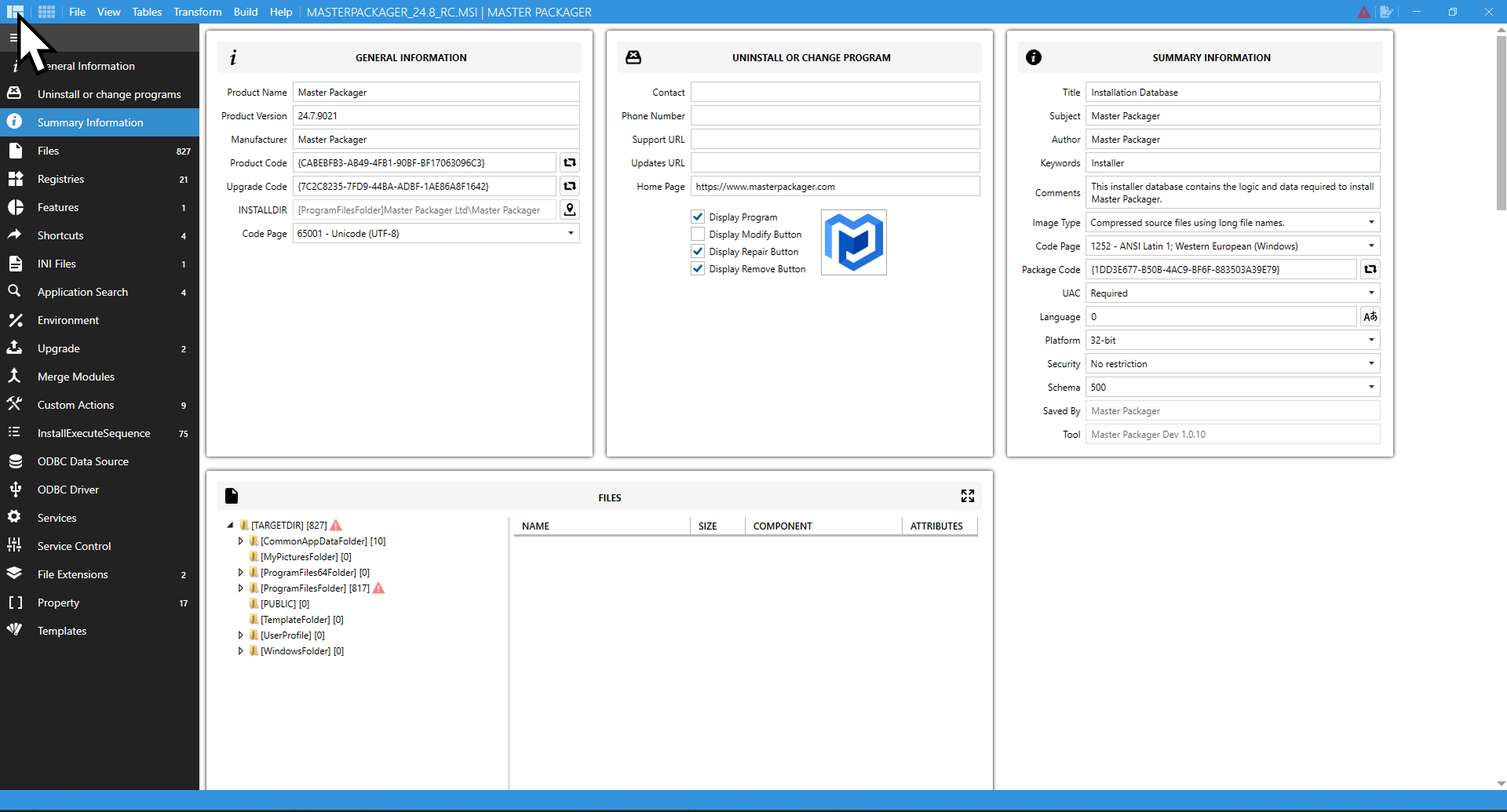
Advanced Editor helps packagers to work with MSI files without knowing how MSI table relationships work, while making packaging much faster and more automated.
Advanced Editor consists of several sections that correspond to key parts of an MSI package. Each section is focused on a specific part of installer logic, organized so you can review, edit, and update package data without switching to raw table editing unless deeper control is required.
Subscribe to Newsletter
Stay up to date with industries and Master Packager news and tips.
This site uses cookies. More information can be found in Privacy Policy