
Response Transform
Response Transform feature in Master Packager lets you generate an MST from MSI dialog changes in a simple and fast way, capturing only the changes you actually need.
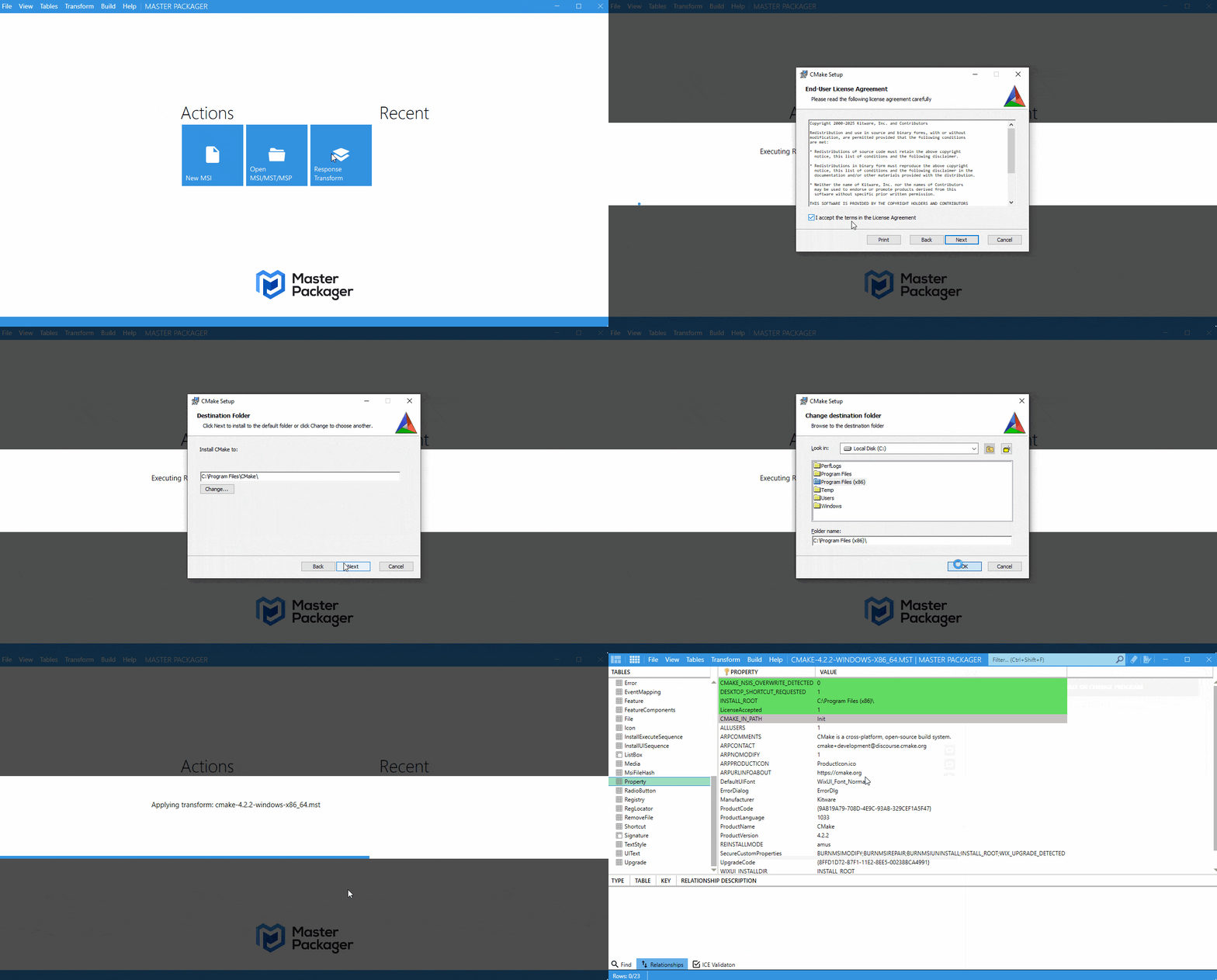
- Open Master Packager and select Response Transform on the main screen.
- Choose the MSI you want to work with. Master Packager will open the Response Transform setup view.
- Click Next to launch the installer.
- Go through the installer and make the changes you want Master Packager to capture.
- Finish the installation. After that, you can see all captured changes in the Table view.
- Save MST to generate your transform.