
Master Wrapper
Master Wrapper enables IT Pros to create PSAppDeployToolkit (PSADT) wrappers using a self-explanatory user interface. Master Wrapper simplifies the complexity of manual scripting, providing a structured and predictable approach to creating, configuring, and enhancing PSADT packages.
Why use Master Wrapper
Master Wrapper simplifies PSADT wrapper creation so you can:
- Build PSADT wrappers quickly and confidently, without memorizing all PSADT functions or syntax.
- Standardize deployment logic across teams, making packages easier to maintain and troubleshoot.
- Reduce errors and typos through guided UI input instead of hand-typed code.
- Save and reuse custom logic and snippets that apply to your environment.
Master Wrapper sections
-
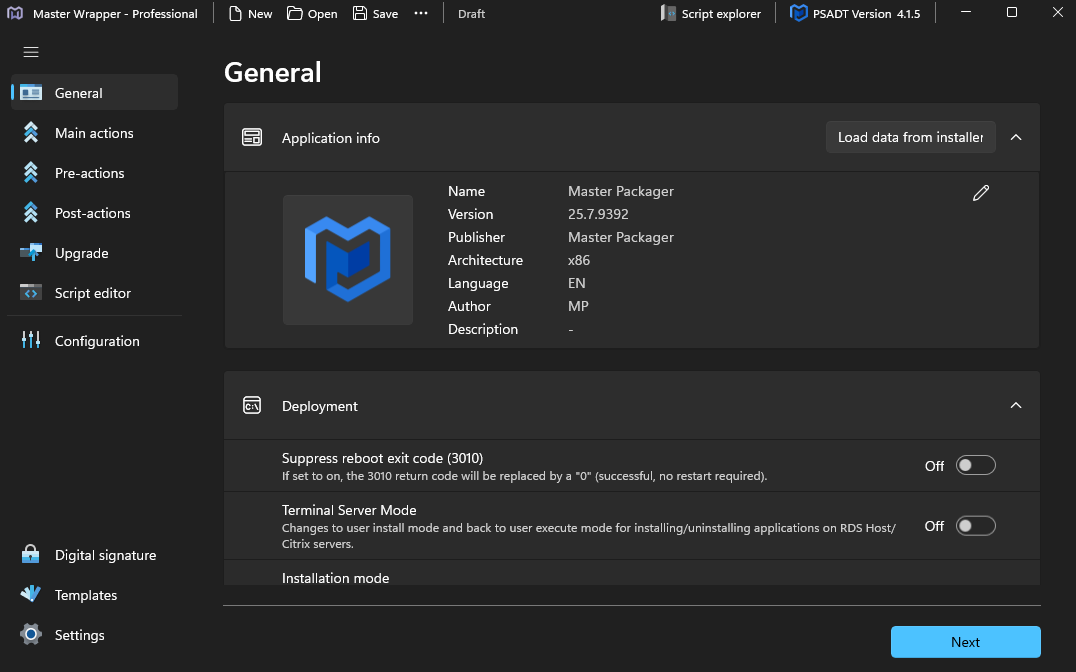
General
General collects the core details of the application. Enter the name, version, architecture, publisher, and description or load them from your installer. You can also set how the installer behaves in terms of display level, reboot handling, and detection settings. -
Main Actions
Main Actions defines how the install, repair, or uninstall should run. Choose the actions you need and Master Wrapper creates the corresponding PSADT logic for you. -
Pre-Actions
Pre Actions prepare the system before the main installation begins. Configure process closing, user messages, progress displays, and defer options to ensure the installation starts in a stable state. -
Post-Actions
Post Actions run after the main installation is complete. Add cleanup steps, configuration changes, notifications, and any custom scripts required to finish your deployment workflow. -
Upgrade
Upgrade helps you manage existing versions of the application. Use predefined PSADT functions to remove older MSI or EXE based installations with product codes, names, or command lines. Filters allow precise targeting before installing the new version. -
Script Editor
Script Editor lets you view and edit the Deploy Application script directly inside Master Wrapper. With Professional licensing, it adds IntelliSense, auto completion, and real time syntax support. -
Configuration
Configuration provides full control over PSADT behavior. Adjust logging, user interface settings, default timeouts, branding, MSI parameters, and other global options that define how the wrapper runs. -
Templates
Templates allow you to save and reuse complete configurations. Apply your preferred setup to new projects to keep packaging consistent and speed up future work. -
Digital Signature
Digital Signature lets you sign your final PSADT wrapper. Signing improves trust, reduces security prompts, and ensures a smoother deployment experience. -
Script Explorer
Script Explorer organizes all script snippets available in your project. Insert or manage built in and custom snippets and keep reusable logic accessible without switching tools.